Shift attendance, leave & overtime software for process plants
Every shift. Every hour. Accounted for.
Built for fertilizer, chemical, power and process plants. PlantWorkforce replaces leave forms, attendance registers and overtime spreadsheets with one app. Operators use their phone. Supervisors approve in one list. Payroll gets numbers it can trust.
Shift plants still run people on paper
Four crews, three shifts, seven days a week. The plant runs on a control system, yet leave, attendance and overtime still run on forms, registers and spreadsheets.
Leave forms that travel
An operator fills a form, finds the supervisor, then the shift in-charge. Signatures take days, and nobody knows the real balance.
Registers nobody can check
Attendance is written by hand each shift. Who covered for whom, who stayed back, who was really on leave: it is lost by the month end.
Overtime on spreadsheets
Hundreds of overtime hours are typed into Excel every month. One wrong formula and payroll pays the wrong amount, or the plant breaks the law.
Three modules. One connected record.
Approved leave flows into the shift sheet. The locked sheet flows into overtime. Overtime flows to payroll. Nothing is typed twice.
Apply on the phone. Approve in one list.
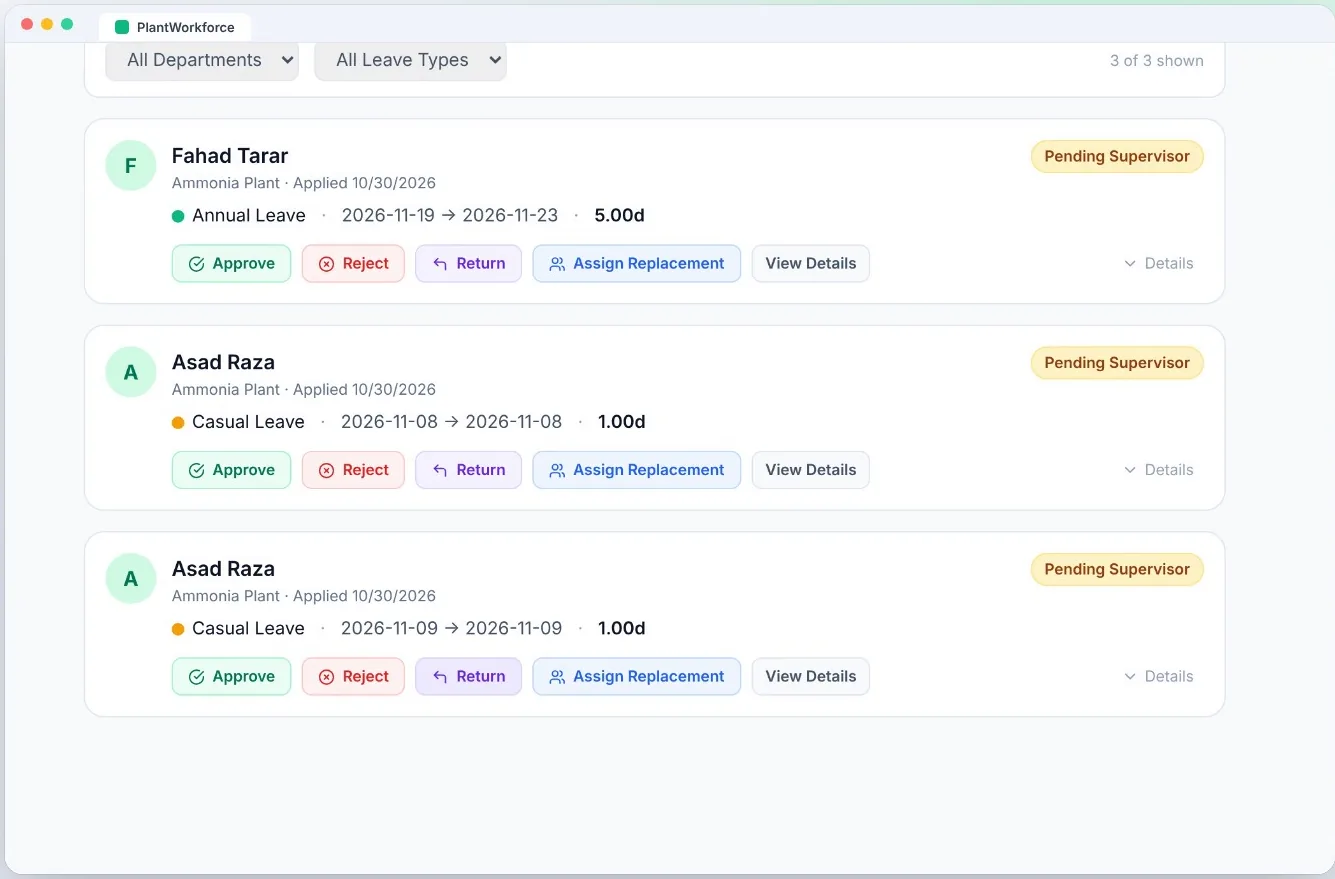
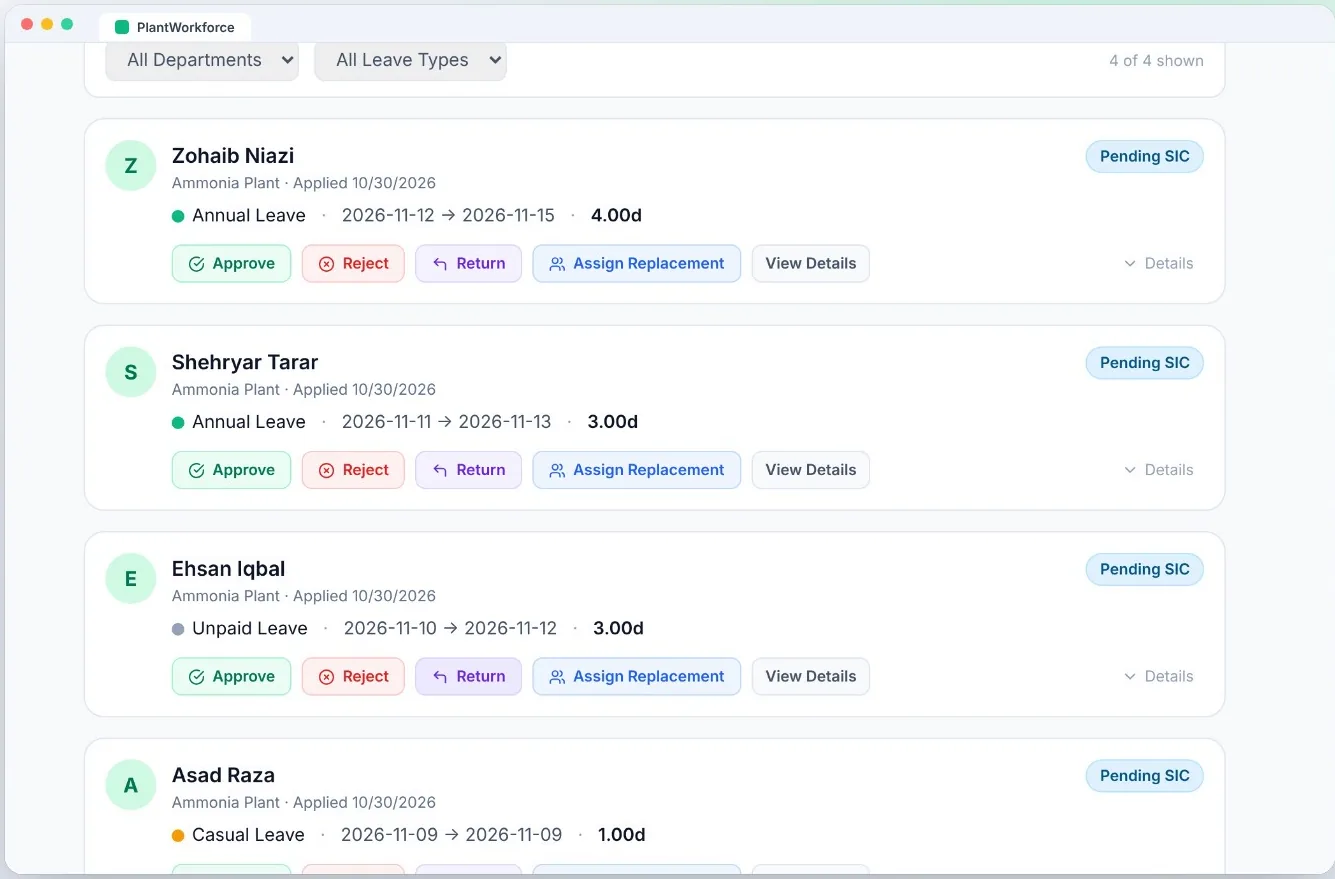
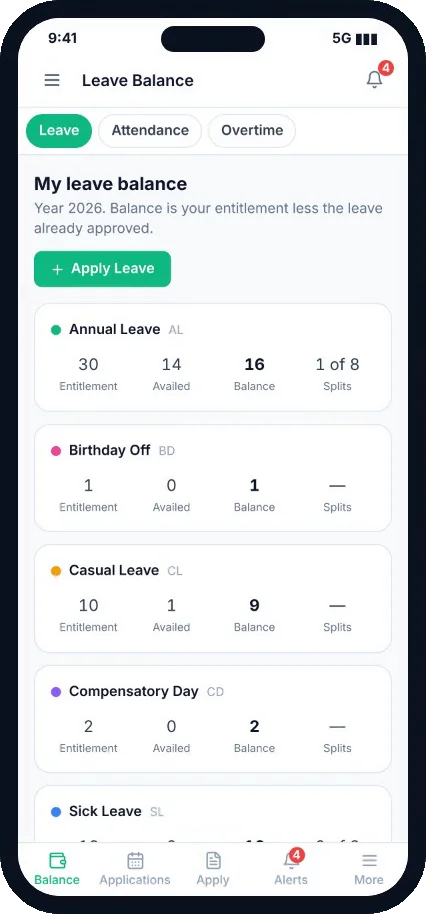
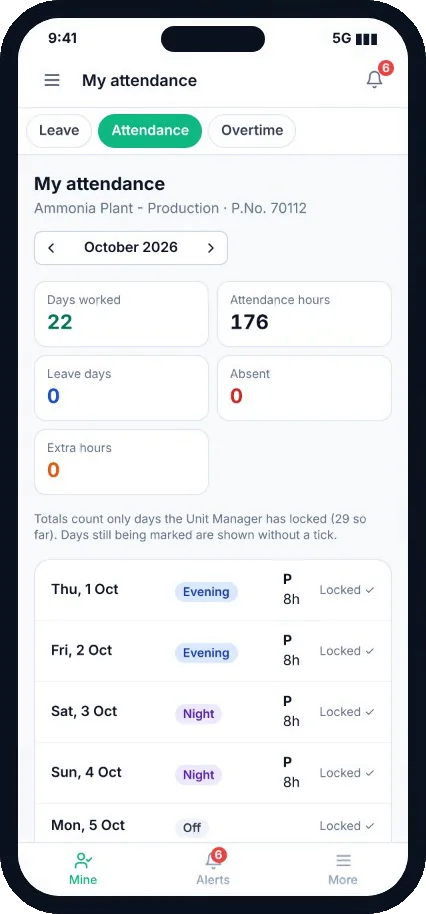
Operators see their own balance and apply from the field. Supervisors and the shift in-charge approve side by side, with the team calendar in view.
- Annual, casual, sick, compensatory, birthday, maternity and unpaid leave, each with its own rules
- Balance and split count always up to date, checked before anyone applies
- Two-level approval in parallel, with return, reject and replacement
- Printable leave pass, notifications at every step
- Gazetted holidays, quotas and year-end carry-over handled for you
Pre-filled sheets. Reviewed and locked.
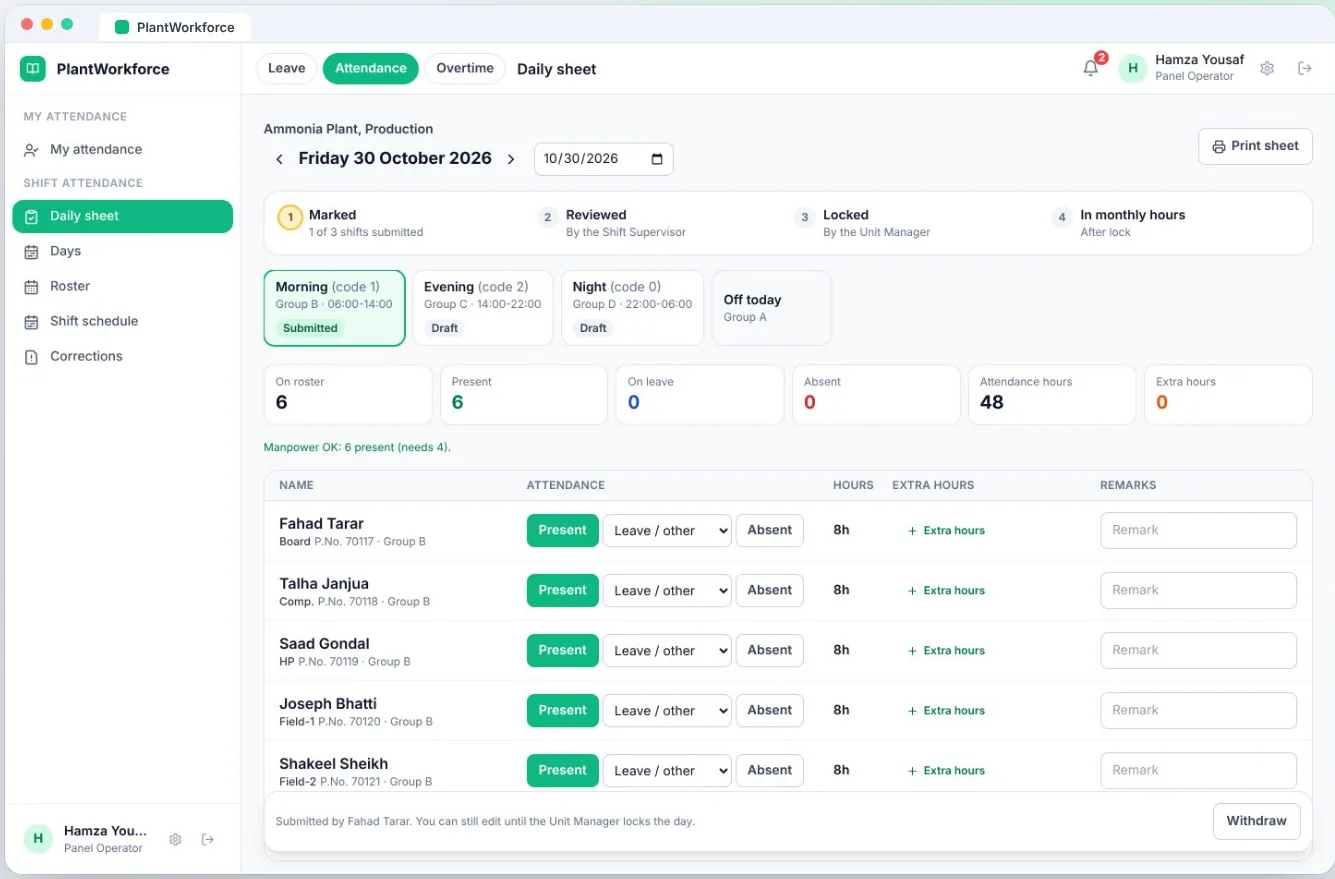
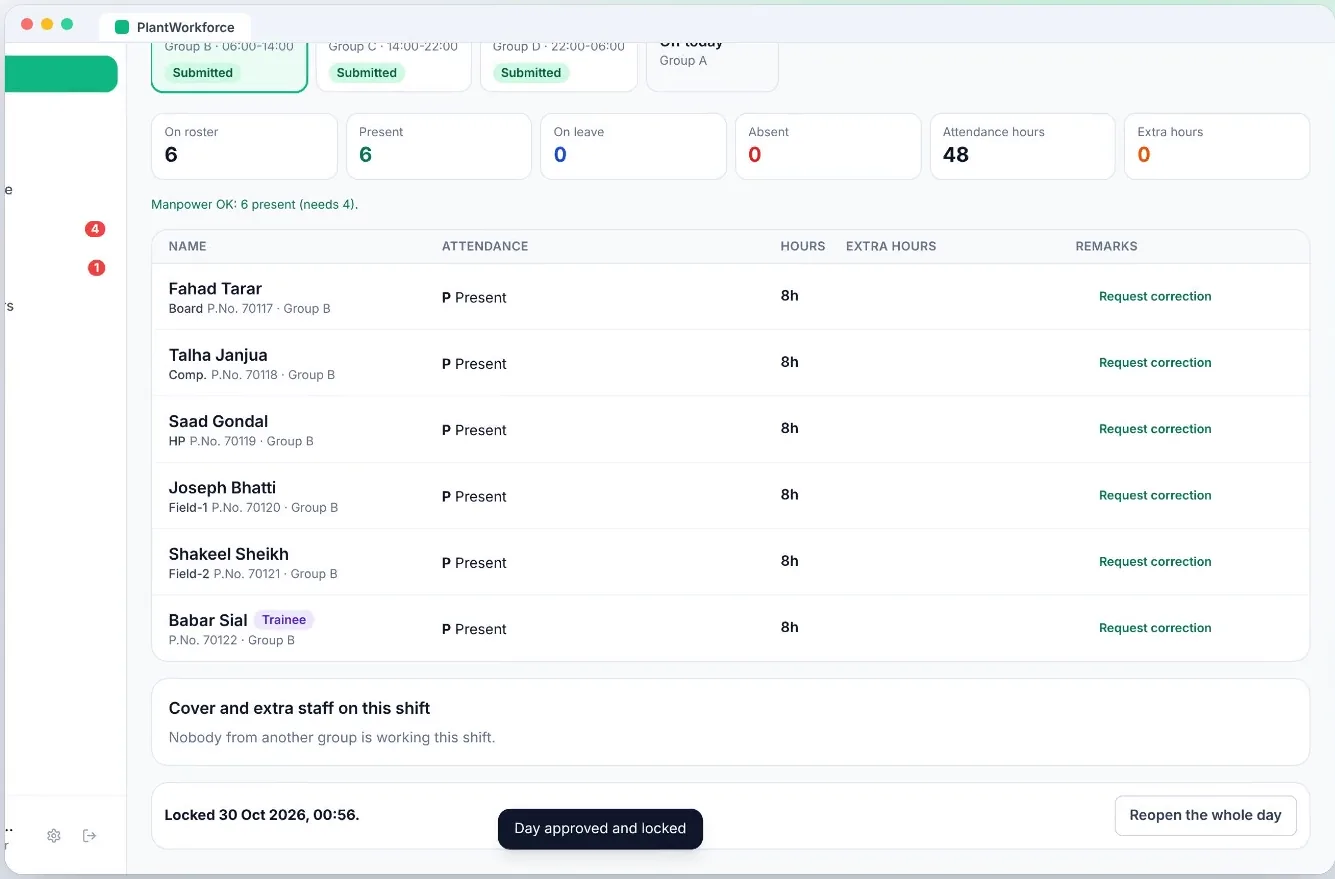
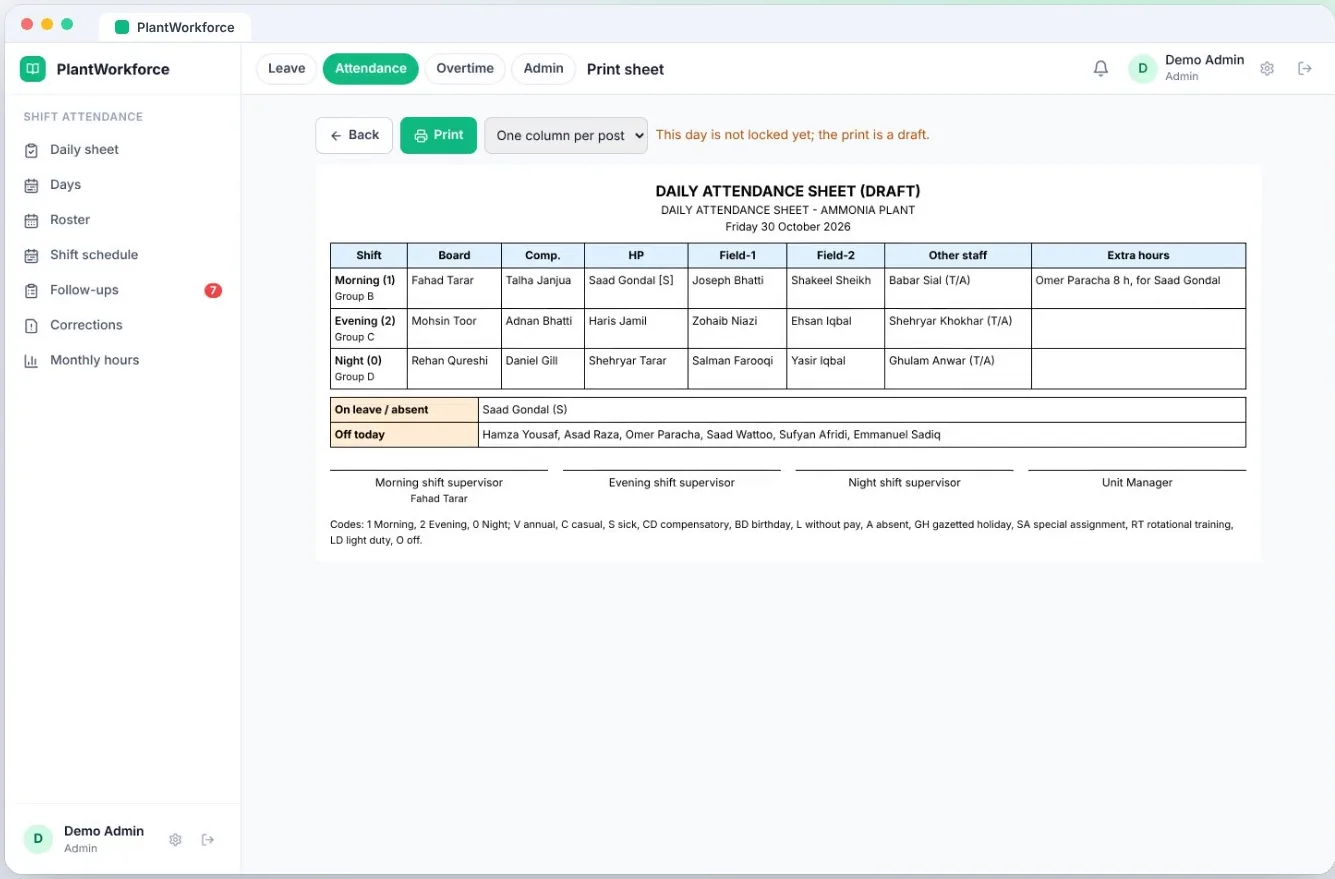
Every shift opens with the right crew already on the sheet, from your rotation and approved leave. The boardman marks only the changes.
- Morning, evening and night sheets built from your shift schedule
- Mark sick or absent in one click and add cover hours for whoever stayed on
- Manpower check warns when a shift is short
- Marked → reviewed by the supervisor → locked by the unit manager
- Locked days are never edited, only corrected with a reason and a record
Your overtime rules, worked out for you.
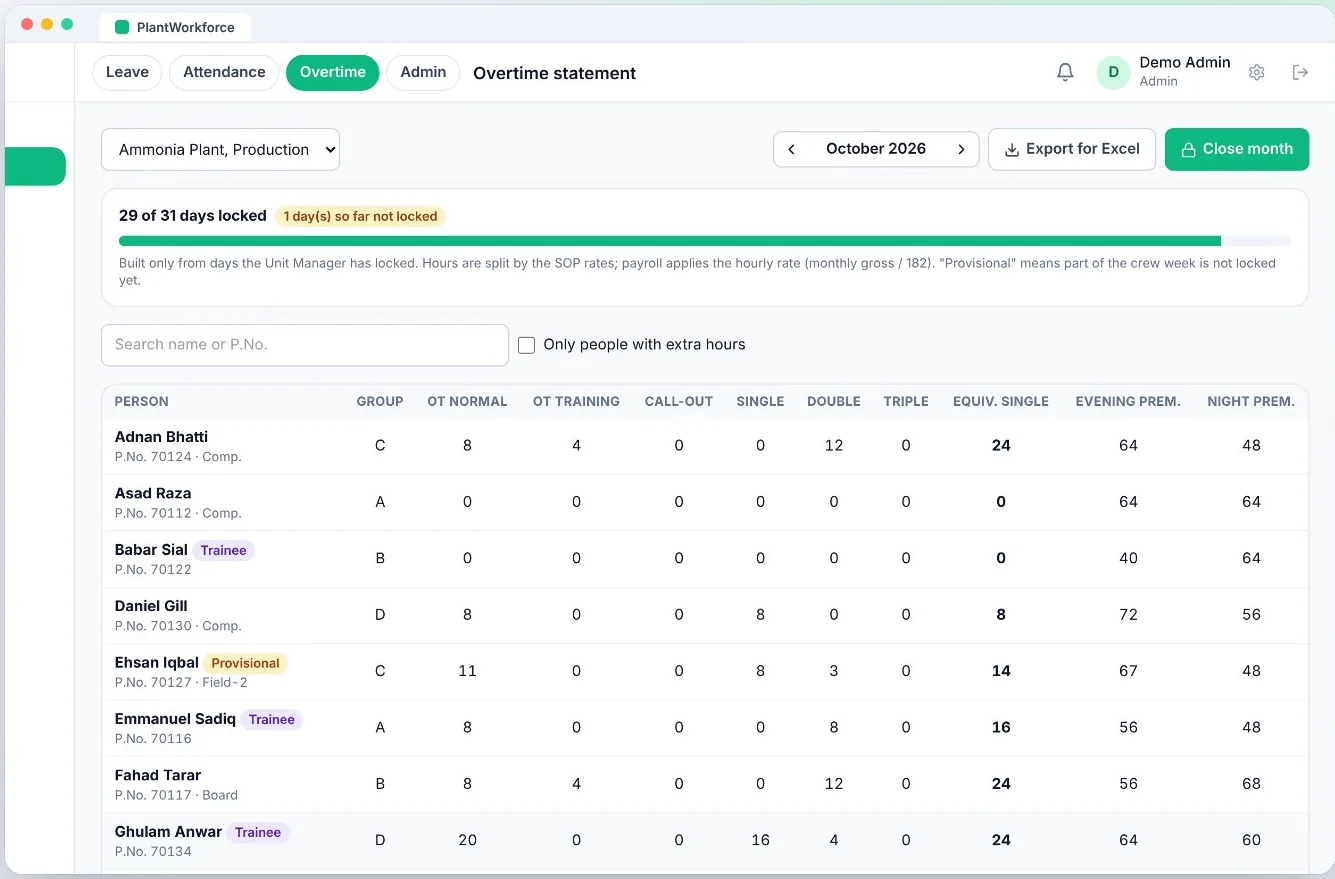
Set your plant's rules once. Every locked day becomes overtime, call-out and shift premium per person, ready for payroll at the month end.
- Normal, training, call-out, single, double and triple time
- Evening and night shift premiums, gazetted holiday rules
- Alerts for long days and monthly or yearly limits under labour law
- Monthly statement with export to Excel, and close the month in one click
- Every operator sees the same numbers on their own phone
Made for every role on the plant floor
Each person sees only what they need, on a phone or a desktop.
Field Operator
PhoneChecks balance, applies for leave, sees own attendance and overtime. No more chasing signatures.
Boardman
Desktop in the control roomOpens a pre-filled sheet each shift, marks only the changes, records cover and extra hours.
Shift Supervisor & In-charge
Phone or desktopApproves leave in one list, reviews the shift sheet, sends it back with a note if something is wrong.
Unit Manager
DesktopLocks each day, decides corrections, sees overtime building up before the month is over.
Payroll
DesktopGets one monthly statement from locked days only. Exports to Excel. No retyping.
HR & Admin
DesktopImports staff from Excel, sets leave types, holidays, shift schedule and overtime rules.
From paper to proof
Live in days, not months
We set it up with your own shift pattern, units and rules. Your people sign in with IDs they can remember.
Import your people
Upload your staff list from Excel. Preview first: nothing changes until you confirm.
Load your rotation
Groups, shift timings and the yearly schedule, printed by post if you need paper copies.
Set your rules
Leave types and quotas, holidays, approvers and overtime rules, matched to your policy.
Go live with one unit
Start with a pilot unit, then roll out plant by plant at your pace.
Role-based access
Everyone sees only their own team and their own data.
Audit log
Who did what, and when, for every action.
Excel in and out
Import staff, export statements and reports.
Cloud or on-premise
We host it for you, or you run it on your own servers.
PlantWorkforce is built and supported by All Web Services, a software company in Lahore. Need something similar for your own operation? We also build custom business software and offline-first mobile apps.
Frequently asked
Do operators need to install an app?
No. PlantWorkforce opens in the phone's browser and can be added to the home screen. It works on any Android or iPhone.
Can it follow our own shift rotation and overtime policy?
Yes. Shift groups, timings, the yearly schedule, leave types, approvers and overtime rules are all set to match your plant, not the other way round.
Can we use only one module?
Yes. Leave, Attendance and Overtime can be taken together or one at a time. Many plants start with Attendance and Overtime.
Where is our data kept?
On our managed cloud, or on your own infrastructure if your IT policy requires it. Access is role-based and every action is logged.
How long does setup take?
A pilot unit can usually go live within days once we have your staff list, shift schedule and rules.
See it with your own shift pattern
Thirty minutes. We load your rotation and walk your team through a real shift, from leave to the payroll statement.